Authentication, Groups and Privileges
Authentication modes
DeepHunter currently supports 3 authentication modes:
local: this is the native Django authentication where usernames and passwords are stored in the local database.
PingID: this authentication relies on PingIdentity Single Sign-On.
Entra ID: this authentication relies on Microsoft Entra ID.
The login screen will look as follows if you haven’t set LOGIN_FORM to False in the settings. Else, only the Login with SSO link will appear.

Local authentication
This is the native Django authentication. Start by creating a super user
$ source /data/venv/bin/activate
(venv) $ ./manage.py createsuperuser
Once a super user has been created, you should be able to access the backend of DeepHunter (https://deephunter_url/admin) and manage groups and users.
PingID
To use PingID:
Create Active Directory (AD) groups: for example
deephunter_usr(standard user, with read-only access) anddeephunter_pr(privileged users, i.e., administrators) and assign users to these groups.install the PingID plugin and configure it.
set
AUTH_PROVIDERtopingidin thesettings.pyfile.Optionnaly disable the login form (set
LOGIN_FORMtoFalsein the settings)When a user logs in, if the authentication is successful, information from AD will be gathered to update the user in the local database.
Entra ID
To use Entra ID:
Create roles in Entra ID, for example
deephunter_usr(standard user, with read-only access) anddeephunter_pr(privileged users, i.e., administrators) and assign users one of these roles.install the Entra ID plugin and configure it.
set
AUTH_PROVIDERtoentraidin thesettings.pyfile.Optionnaly disable the login form (set
LOGIN_FORMtoFalsein the settings)When a user logs in, if the authentication is successful, information from the session token will be gathered to update the user in the local database.
Groups and Privileges
Local and AD Groups
If you are relying on local authentication, you can create groups and assign privileges using the admin interface.
If you are relying on PingID or Entra ID, map local groups (they will be created automatically) to the AD groups or Entra ID roles. Use the USER_GROUPS_MEMBERSHIP variable in the connector settings to do this mapping.
In the example below, the AD groups or Entra ID roles deephunterdev_usr, deephunterdev_pr and deephunterdev_th are mapped to the local groups viewer, manager and threathunter respectively.
USER_GROUPS_MEMBERSHIP = {
    'viewer': 'deephunterdev_usr',
    'manager': 'deephunterdev_pr',
    'threathunter': 'deephunterdev_th',
}
Privileges
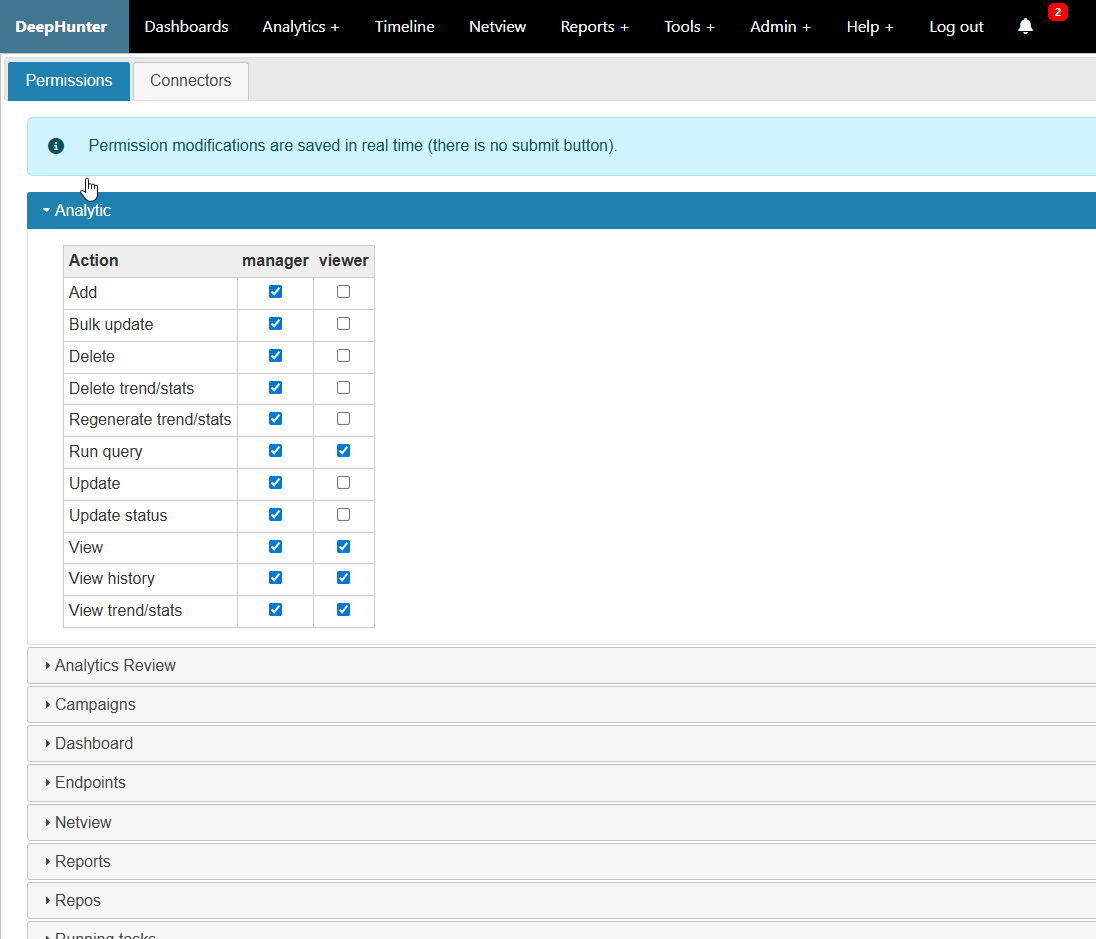
Privileges are assigned to groups. Use the User Interface to assign privileges to groups.